
Search K
Appearance
WordPress manager allows users to manage the WordPress installations from the control panel web interface.
The feature can be accessed on user level via Advanced Features -> WordPress Manager.
In order to enable WordPress Manager feature a wp CLI tool needs to be installed in the server.
Installation can be performed using CustomBuild via DA web interface or with CLI using this command:
da build wpcliFor the WordPress Manager feature to be visible it also needs to be enabled in the user / reseller packages or directly in reseller / user configuration:
Account Manager -> Show All Users, click on your own username, Reseller tab, Modify tab and make sure WordPress check-box is checked.Account Manager -> Manage Reseller Packages, click on a package name, make sure WordPress check-box is checked.Account Manager -> Manage User Packages, click on a package name, make sure WordPress check-box is checked.Account Manager -> Show All Users, click on some user name, User tab, Modify tab and make sure WordPress check-box is checked.Feature is available at the user level in Advanced Features -> WordPress Manager.
Main feature window list all available WordPress installation and locations suitable for new installations.
Locations for WordPress installations are main document root form the selected domain and all sub-domains.
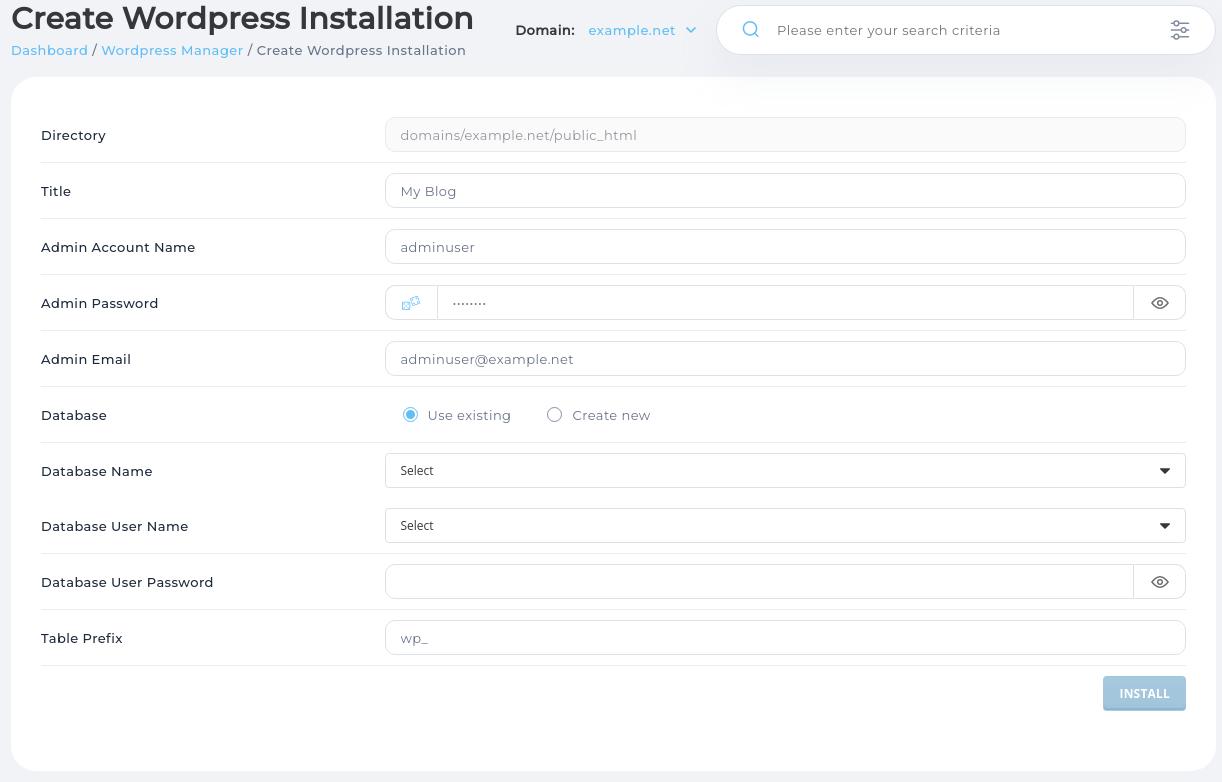
For new WordPress installation you will need to provide:
Database credentials can be specified manually or new database dedicated for this WordPress website created.
Specifying credentials manually will require to select database name and database user account from a list of user owned databases and providing password.
If new database is created database credentials will be filled automatically.
Example of new WordPress installation page:
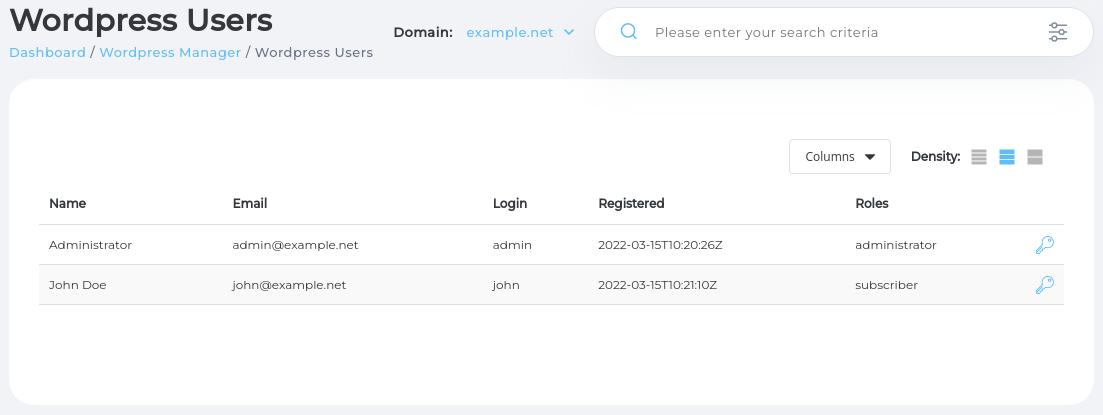
WordPress Manager feature allows you to check the list of all WordPress website accounts and reset password if needed. This is useful feature if main admin account username or password was lost.
Password reset feature is available by navigating to a list of WordPress user accounts for a particular WordPress installation.
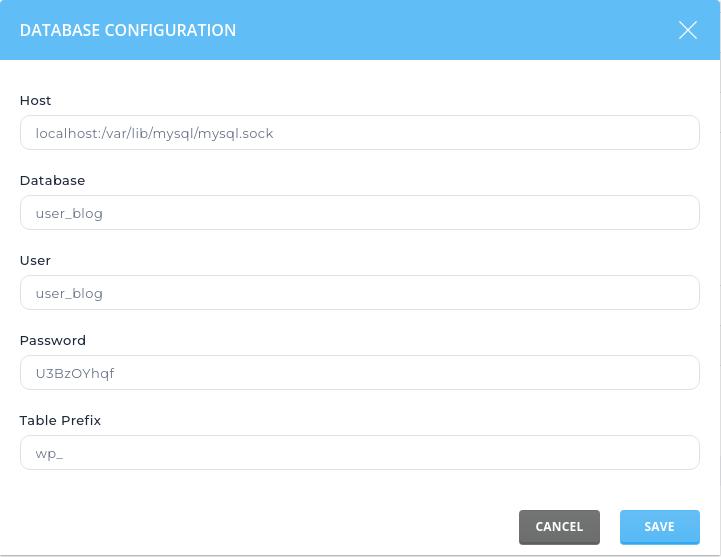
Fixing database configuration can help repair broken WordPress installation.
Example of WordPress user list page:
Database configuration management page allows updating WordPress database connection details.
Changing database configuration for an active WordPress installation is rarely needed. However it could be used to update DB user account name or password if it was changed in the database management page. Or when performing advanced WordPress website migrations or reconfiguration.
Example of database credentials management page:
An existing WordPress installation can be completely removed. This will delete all WordPress files and all database tables.