
Search K
Appearance
Released: 2024-02-02
Database management page received a major upgrade. New user interface is using new database management API and comes with multiple improvements compared to old functionality.
Key improvements of the new user interface:
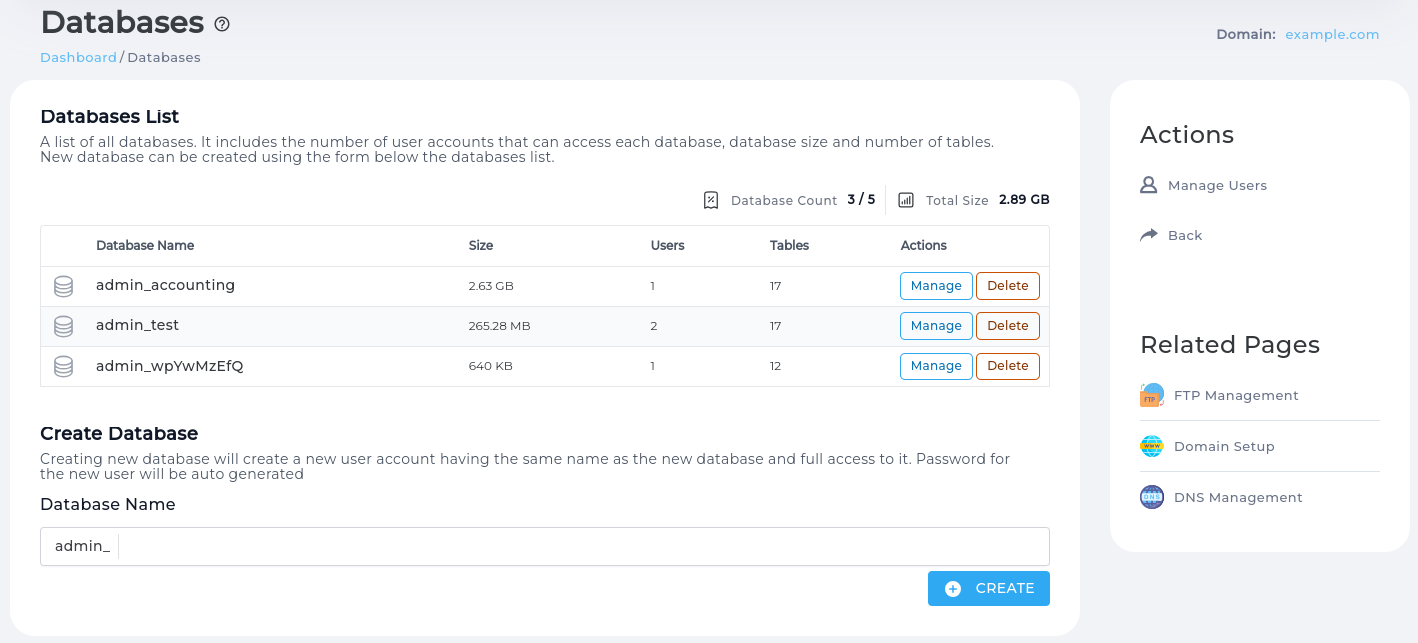
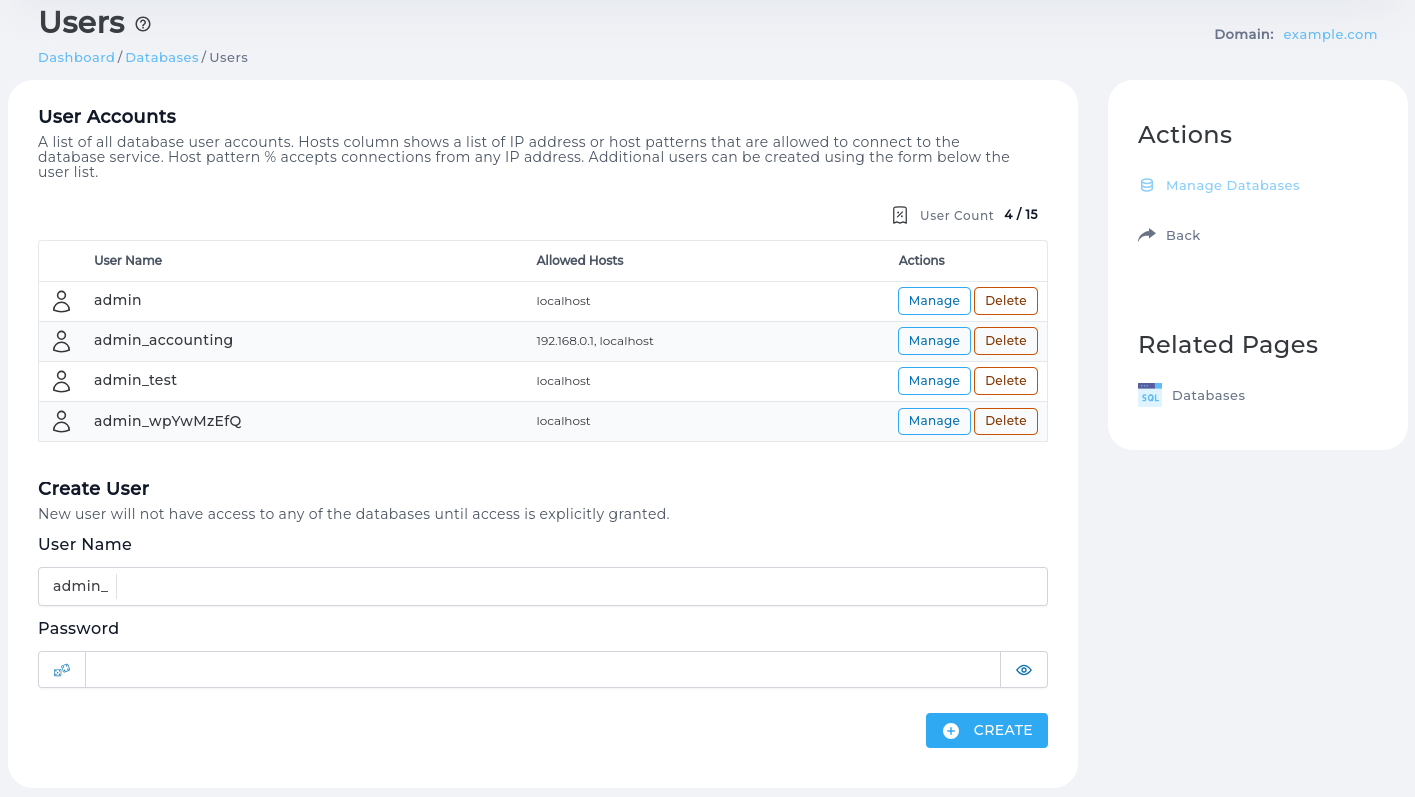
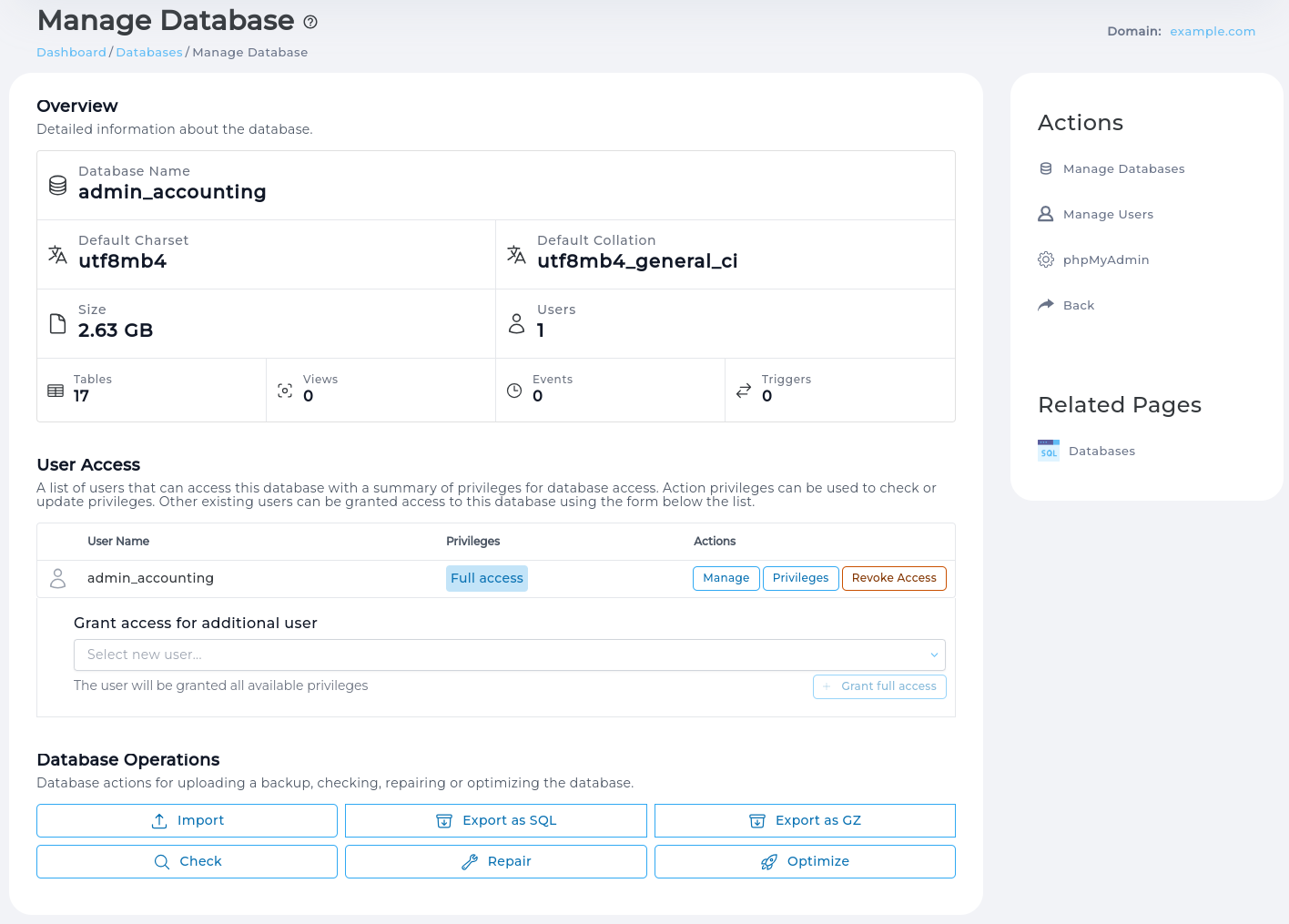
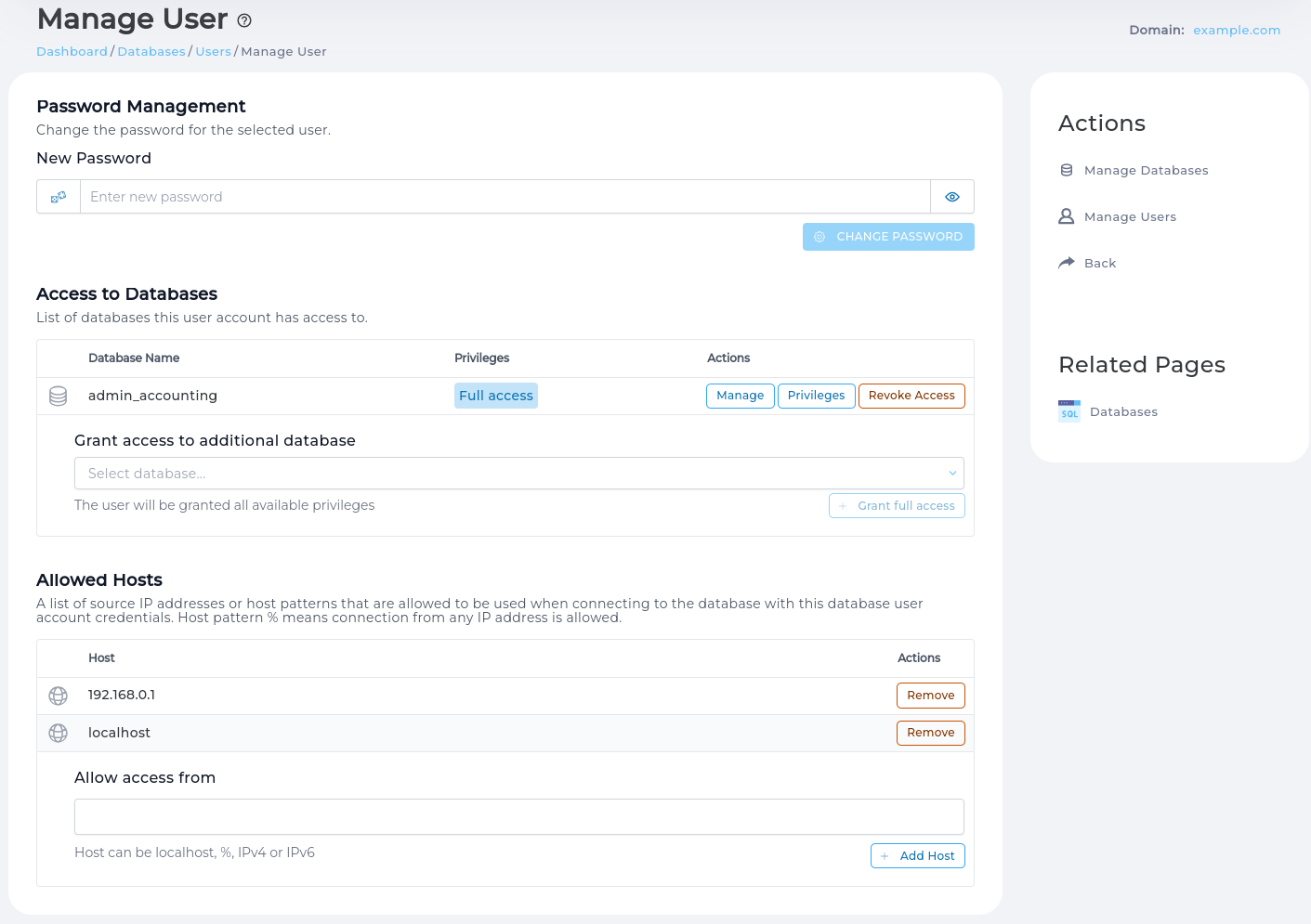
New API groups all database management related actions under /api/db-show and /api/db-manage paths. There are two endpoint prefixes to cleanly separate read-only and state changing endpoints. API documentation is available in the Support & Help > Live API Documentation section.
Main benefits of the new API:
system or \! commands.DEFINER clauses. This avoids problems when database is imported and original user that created triggers, views or events no longer exists./api/db-manage/create-db-quick endpoint).Important changes:
utf8mb4 as default database character set and utf8mb4_general_ci collation. Creating DB via API it is possible to specify custom character set, but UI will always use UTF-8.% can be used.CustomBuild script is extended to support removing ClamAV using system package management tools.
Command da build remove_clamav will remove ClamAV from the system.
If ClamAV is installed but not configured (custombuild/options.conf has clamav=no) removing ClamAV will be listed in the da build list_removals and CustomBuild GUI.
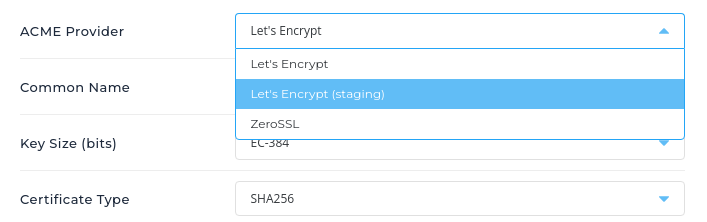
Certificate management page now allows selecting Let's Encrypt staging environment as ACME provider.
Certificates issued by staging environment are not considered valid by the browsers, and should not be used for production websites. It is intended to be used when testing out different certificate configurations or debugging. Key benefit is that staging environment has much higher rate-limits allowing to test things out without reaching production environment limits.
In previous versions it was possible to use LE staging environment by passing staging=yes environment variable to the letsencrypt.sh script. This environment variable is no longer used.
Only a single validation error will be displayed at a time under inputs where as before multiple were displayed.
phalcon5 updated from 5.5.0 to 5.6.0redis updated from 7.2.3 to 7.2.4roundcubemail updated from 1.6.5 to 1.6.6imagemagick updated from 7.1.1-25 to 7.1.1-27PHP 8.3 updated from 8.3.1 to 8.3.2PHP 8.2 updated from 8.2.14 to 8.2.15ngx_cache_purge updated from 2.3 to 2.5.3openlitespeed updated from 1.7.19 to 1.7.19.1CustomBuild CLI interface is updated to support rebuilding single PHP version without php_expert command. Command da build php takes one optional parameter for PHP release version.
Examples:
da build php - will rebuild all configured PHP versions.da build php 8.1 - will rebuild only PHP 8.1 (if PHP 8.1 is configured)Command da build php does not require specifying PHP mode. PHP mode will be automatically loaded from options.conf file.
Usage of old command da build php_expert {php_version} {php_mode} is discouraged. It still works for backwards compatibility, but is now alias to the da build php command.
Enabling new PHP version will now hide PHP extension updates for the new not yet installed PHP version. Once PHP is installed, PHP extension updates will be shown.
Make default password validator more strict by increasing minimum password length to 6. This is accomplished by always enforcing difficult_password_length_min field from directadmin.conf.
Previously difficult_password_length_min field was only enforced if enforce_difficult_passwords=1 was set in directadmin.conf.
difficult_password.php script) update Default difficult_pasword.php script is dropped and implemented natively in the codebase, no longer requiring php to be installed in order to work.
A new directadmin.conf field password_check_script is introduced which defines a script (or any binary) to execute for checking password. Customized custom/difficult_password.php is auto-migrated to use this field.
Password checking steps now are:
difficult_password_length_min will be refused even when enforce_difficult_passwords is disabled or there is non empty password_check_script configured.enforce_difficult_passwords is enabled, passwords without at least one lowercase, uppercase and number characters will be refused. The check will be performed inside DA service without calling extra scripts.password_check_script is not empty, then configured script will be called and password will be refused if script exits with non zero exit code.These cheks are independent, meaning that if enforce_difficult_passwords is enabled and password_check_script is configured password must pass both checks to be considered valid.
Auto-generated passwords (more specifically passwords consisting of at least 20 symbols) will always be accepted.
Updater will take care of updating directadmin.conf to keep consistent behaviour. This is what will happen for various configuration combinations.
| Configuration description | Changes after update |
|---|---|
Servers with enforce_difficult_passwords=0 | passwords shorter than six symbols will not be accepted unless difficult_password_length_min is changed. |
Servers with enforce_difficult_passwords=1 using default difficult_password.php script | same pasword checking rules but checking is now performed without executing PHP script. |
Servers with enforce_difficult_passwords=1 and customized scripts/custom/difficult_password.php | configuration will be updated to have password_check_script=scripts/custom/difficult_password.php and internal difficult password check logic will be disabled with enforce_difficult_passwords=0 |
DirectAdmin bundled scripts are now owned by root and are readable and executable by any system user (755 permissions).
scripts/custom directory is also owned by root with 711 permissions, preserving compatibility for custom scripts to be executable.
scripts/setup.txt to conf/setup.txt update setup.txt configuration file (created by DirectAdmin installer) is migrated to a better suited location: /usr/local/directadmin/scripts/setup.txt -> /usr/local/directadmin/conf/setup.txt
For backwards compatibilty, a symlink is created in /usr/local/directadmin/scripts directory.
Assuming Auto SSL is available on the server, the User Level Certificates page will always show the 4 related tables:
Logging in the system.log now also log who/why any creation of a domain.com.ssl file happened, as well as why an Admin SSL domain retry happens, to more easily determine if DA has decided it's invalid, expired, missing, etc. Possible changes to Evolution soon to clean up the SSL mode layout vs 'actions'
Also added the ability for a User to reset their retry counter. Certificate renewals will only try letsencrypt_renewal_failure_notice_after_attempt=5 times before giving up. Clearing this file allows a fresh request to renew in the future. Also clears this domain.com.letsencrypt_remaining_retries file when a new cert request succeeds.
CMD_SSL
method: POST
action=reset_retry_count
domain=domain.comCustomBuild script for build Nginx Unit language modules is upgraded. Notable changes:
Custom MX records templates used to be loaded from .../templates/mx/custom directory. All other customizations are being loaded from .../templates/custom.
With this release MX record customizations will be loaded from .../templates/custom/mx directory, following the same patter as other customized templates.
Update script makes sure to automatically move data from .../templates/mx/custom to .../templates/custom/mx during upgrade.
Using colons in custom FTP path causes system to incorrectly detect FTP path due to config file using colon-separated values format.
Use of : is no longer allowed in custom FTP path.
The newly designed dialogs did not close when clicking outside the modal dialog window. This has been fixed, and now all dialogs will close after clicking outside of them. An example dialog that did not exhibit this behavior can be observed in /evo/admin/dns/:domain/edit after clicking "Reset Defaults."
Fixed external documentation links that were not visible inside their respective tooltips. This change affects the following pages:
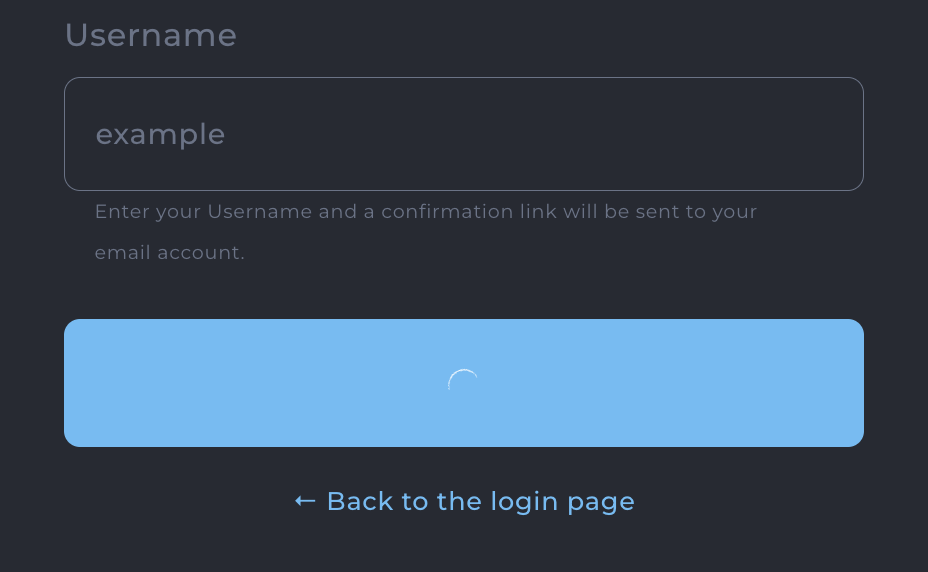
The lost password page is updated fixing minor UI bugs:
letsencrypt=2 mode removal Using letsencrypt=2 in directadmin.conf will no longer use user home directories for ACME HTTP challenge well-know directory location. Setting letsencrypt=2 will treated the same as letsencrypt=1 and will always use /var/www/html/.well-known/acme-challenge directory for ACME HTTP challenges.
clean_forwarders_on_email_delete=0 configuration option removal Configuration option clean_forwarders_on_email_delete is removed from directadmin.conf. Option to clean email forwarders when deleting mailbox will be always available for users.
pointers_own_virtualhost=0 configuration option removal Configuration option pointers_own_virtualhost is removed from directadmin.conf. Starting this release domain pointers will always have separate virtual host definition block in the web server configuration files.
This change makes |SERVER_ALIASES| configuration token obsolete. This token is removed from all templates. For compatibility reasons token will be always set to empty value.
dovecot=0 configuration option removal Configuration option dovecot is removed from directadmin.conf. Dovecot is always enabled, making DirectAdmin always function in dovecot-compatible way.
vm-pop3d service removal DirectAdmin support for vm-pop3d service is completely removed in favor of Dovecot.
Nginx Unit can be used to run Ruby, Perl, Python or JavaScript applications accessible via HTTP as websites. It used to support PHP as well, but native PHP support through the php-fpm, fastcgi or lsphp is preferred over running it via Nginx Unit.
Starting this release Nginx Unit will no longer support running PHP applications.