
Search K
Appearance
Released: 2025-09-02
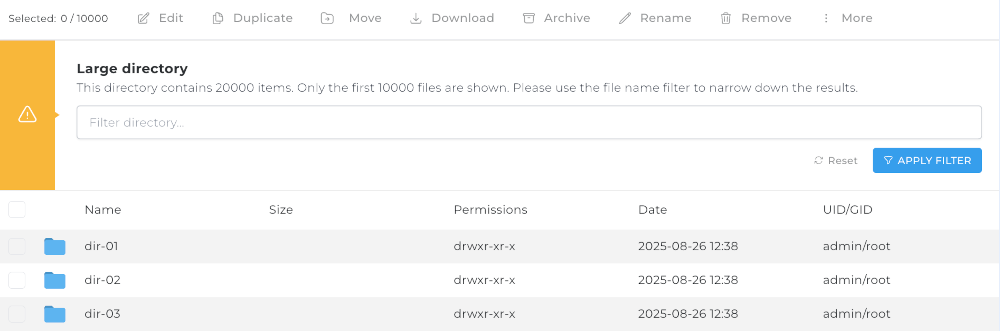
The large directory mode allows File Manager to be functional in large directories.
If a directory contains more than 10,000 items (files or directories), then large directory mode will be activated. An alert message will show the total number of items in the directory, but only the first 10,000 items will be visible.
To allow finding files in a large directory, a name filter input is added. It enables searching for files that would otherwise be omitted because of the maximum visible items limit.
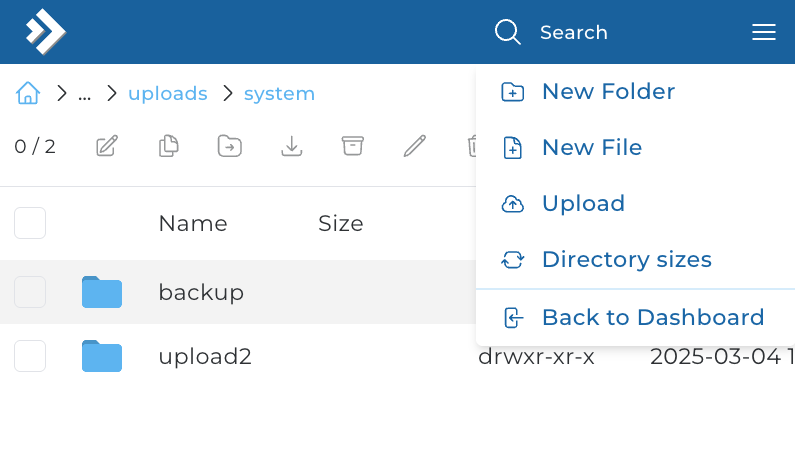
A new action to show accurate directory sized is added to the File Manager.
It calculates and shows sizes of all the sub-directories in the current directory.
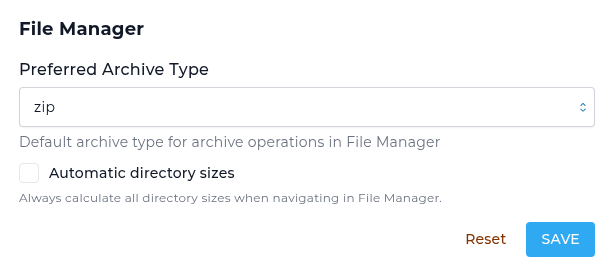
Automatic directory size calculation can be enabled with an setting in the Profile -> Skin Options page.

Menu customization page (located in Customize Evolution Skin -> Menu) has the following improvements:
Mobile layout now shows a single primary "Search" button. All other actions were moved into a right-side overflow menu to reduce clutter and increase user experience. No actions were removed.
The File Manager related preferences are moved into the Profile -> Skin Options page.
awstats updated from 7.9 to 8.0csf updated from 14.24 to 15.00litespeed updated from 6.3.4-2 to 6.3.4-3PHP 8.3 updated from 8.3.24 to 8.3.25PHP 8.4 updated from 8.4.11 to 8.4.12spamassassin updated from 4.0.1 to 4.0.2zstd (PHP extension) updated from 0.15.1 to 0.15.2Within the domain creation page (located in user level -> Account Manager -> Add New) the checkboxes for "Secure SSL", "CGI Access", "PHP Access" were shown even if user was configured to have no control over these features.
chpasswd configuration option from directadmin.conf removal The system default chpasswd tool will be used instead of using a specific location configured in the directadmin.conf file.
Previously, the Manual Trigger was only for the master domain, but did provide checkboxes for Domain Pointers and Subdomains. Should a pointer or subdomain renewal fail, or a manual trigger be required, without requesting anything else, the only way was to delete or re-add the pointer, or request everything and quikcly remove the requests that were not required. This change will provide a select/dropdown on the Manual Trigger tab, allowing the selection of the desired master domain, pointer, or subdomain on the master or pointers.
When selecting a domain pointer, if the wildcard checkbox is not checked but the subdomains checkbox is checked, DirectAdmin will now build requests for each subdomain from it's master domain without needing to make a request for each subdomain on the domain pointer.
Currently, only the Enhanced skin has recieved this change. The Evolution skin should be updated shortly to support this new functionality.
Extra information will now be output with the call to be able to fill the select's host options if Auto SSL is allowed:
CMD_SSL?domain=master-domain.com&json=yeseg:
"manual_trigger_hosts":
{
	"pointer.com":
	{
		"type": "pointer"
	},
	"master-domain.com":
	{
		"type": "domain"
	},
	"sub.pointer.com":
	{
		"type": "subdomain"
	},
	"sub.master-domain.com":
	{
		"type": "subdomain"
	}
},It is no longer possible to create categories which acts as links. In case user previously had such categories, they will now be returned as regular categories where the first item inside that category is the link.