
Search K
Appearance
Released: 2026-07-13
This release introduces a new mechanism to automatically issue and renew TLS certificates for user-owned domains.
Without any changes, all domains will continue using old TLS management mode. The old mode continues to renew ACME certificates automatically or provision new certificates if Admin SSL is enabled.
To use the new ACME system, it needs to be enabled in the TLS Certificates page for each domain.
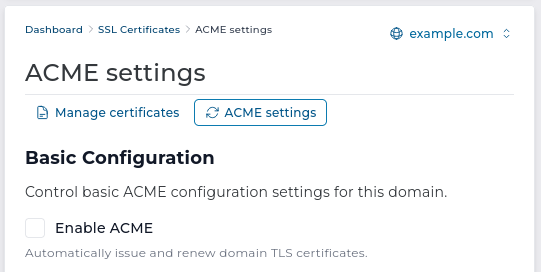
Once enabled, the new ACME system will automatically issue TLS certificates for all DNS names used in this domain. The system status and the actions that will be performed will be visible in the domain TLS certificates index page.
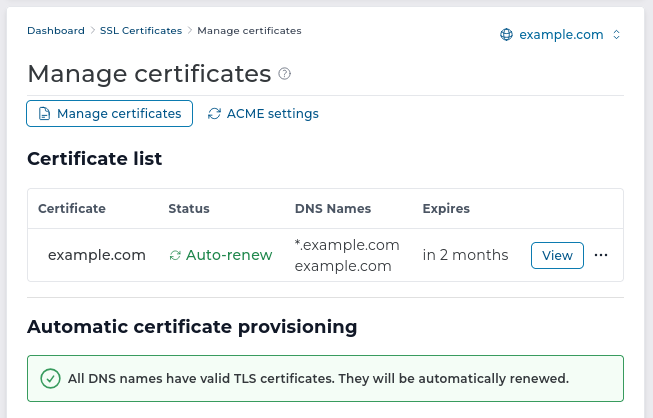
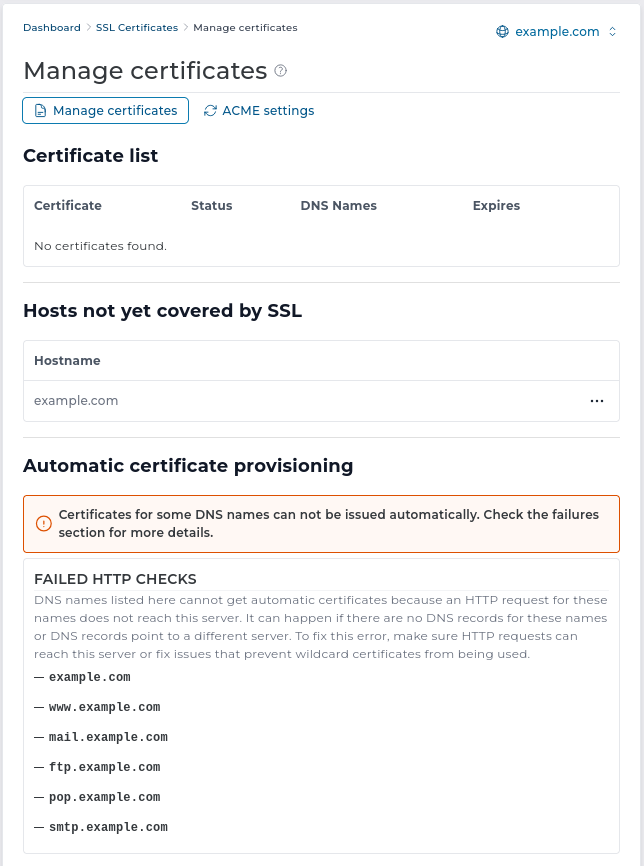
It will also report any problems that prevent certificates from being issued automatically.
It is possible to combine the new ACME system with manual certificate management. When a TLS certificate is manually uploaded, the UI offers an option to add the DNS name of the new certificate into the ACME exclusions list. The ACME settings page allows managing the list of DNS names that should be excluded from automatic certificate provisioning.
When the new system fails to issue a certificate for acme_disable_after_failures times in a row, that DNS name will be added to the ACME exclusions list.
Automatic certificate provisioning is performed once every 24 hours for all domains. Initial certificate provisioning for a single domain is performed immediately after a new domain or subdomain is added.
If there are new certificates to be issued, an immediate certificate provisioning can be triggered.
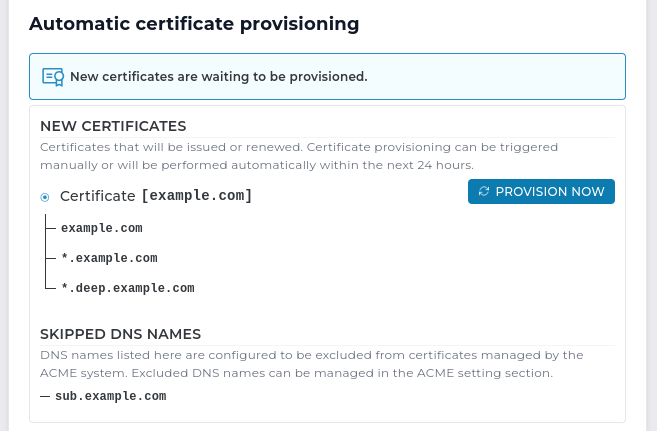
The new ACME certificate provisioning system is available for all licenses (including the legacy licenses). Because the new system provisions certificates for a newly added domain or subdomain, it allows legacy systems to have automated TLS.
The Evolution skin in this release supports only using the new ACME system. The old TLS management interface can still be accessed using the Enhanced skin.
6.3.5-6 to 6.3.6-04.27.0 to 4.28.01.9.0.1 to 1.9.18.2.31 to 8.2.328.3.31 to 8.3.328.4.22 to 8.4.238.5.7 to 8.5.82.10.1 to 2.10.215.07 to 15.081.1-94 to 1.1-962.9.13 to 2.9.143.0.15 to 3.0.165.15.0 to 5.16.01.3.9b to 1.3.9c0.16.0 to 0.17.0The unbound cache flushing before issuing new certificates was not working correctly on systems with unbound versions older than 1.20.1.
The cache flush command is updated to be compatible with older unbound versions.
OpenLiteSpeed configuration incorrectly handled ssl_configuration custombuild option.
OpenLiteSpeed templates are updated to properly set sslProtocol directive in listener block and ciphers directive in virtualHost.
The following resource usage endpoints are removed in favor of revised api endpoints:
CMD_USER_LIMITS/CMD_API_USER_LIMITS -> /api/resource-usageCMD_RESELLER_LIMITS/CMD_API_RESELLER_LIMITS -> /api/global-resource-usageCMD_ADMIN_LIMITS/CMD_API_ADMIN_LIMITS -> /api/global-resource-usageData directory (data/admin/cgroup_cache) is no longer used and will be removed on next update.
show_all_users_cache_extra_vars configuration option from directadmin.conf removal It is no longer possible to display additional fields (configured using show_all_users_cache_extra_vars directadmin.conf option) within "Show All Users" and "List Users" pages. These pages were updated to always display what was previously the equivalent of show_all_users_cache_extra_vars=date_created:mysql.
The action to upload a new skin via API is removed. Installing new skin can be performed only by the system administrator. It is done by extracting the skin package in the ./data/skins directory using CLI tools.